


Documentation menu
Getting started
Dashboard & analytics
- Dashboard at a glance
- Cost analysis
- Pipeline performance
- Optimization insights
- Knowledge Base
- Connect your AI agent
Managed runners
- Runners overview
- Run your first job
- Migrate from GitHub-hosted
- Latchkey CLI
- The Runners page
- Custom runners (AI Scan)
- Self-healing
- Runner image & software
- Provisioning & warm pools
- Limits & concurrency
Caching
Team & notifications
Billing & plans
Help
What is Latchkey?
Latchkey is CI/CD analytics plus managed self-healing runners for GitHub Actions: see what your pipelines cost, why they fail, and run jobs on faster infrastructure that fixes transient failures automatically.
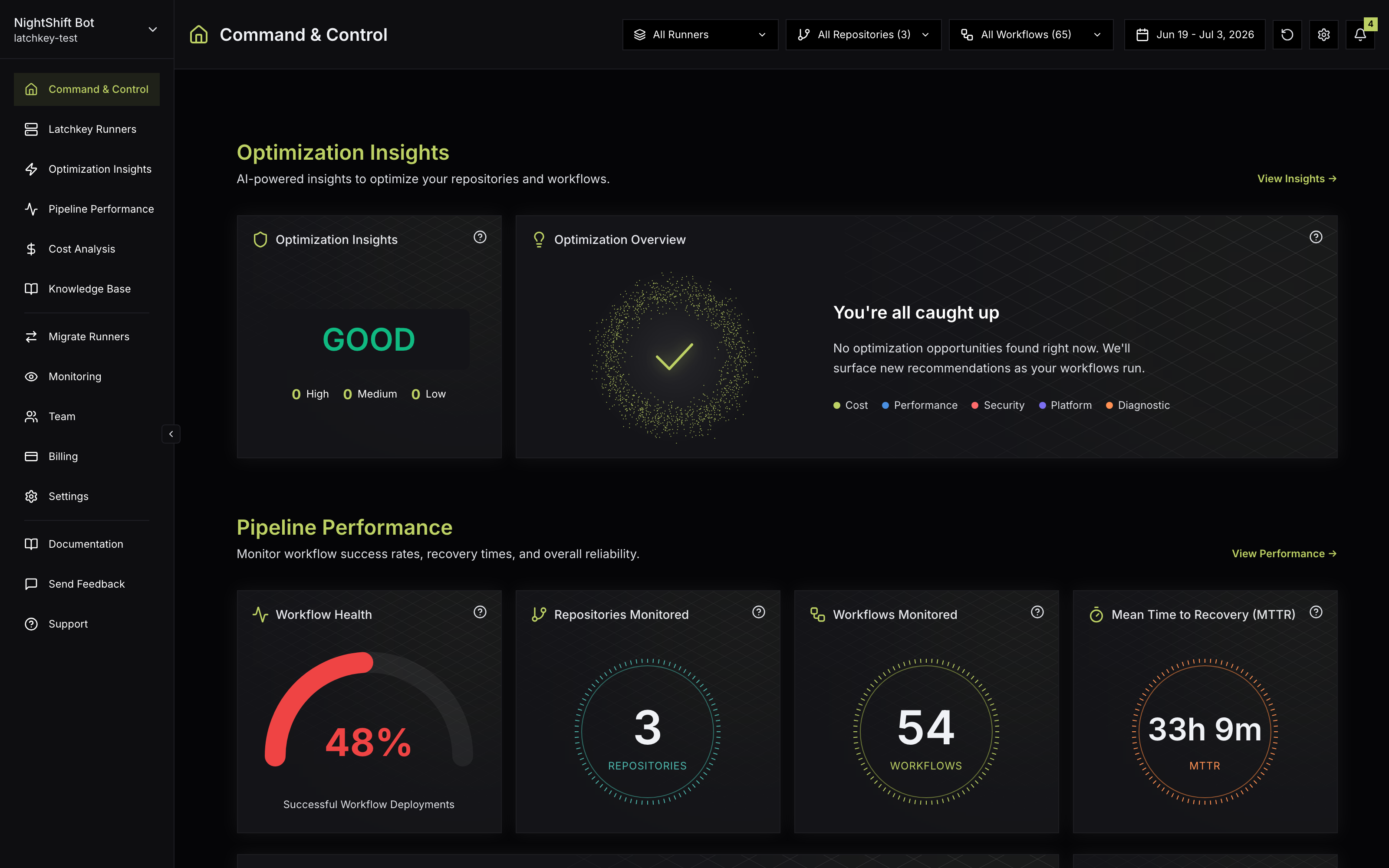
Latchkey does two things for teams that build on GitHub Actions:
runs-on: latchkey-small and it runs on fast, ephemeral, isolated infrastructure that detects and fixes transient failures during the run.You can use either half on its own. Many teams start with analytics to understand their spend, then move their heaviest workflows onto Latchkey runners.
The two halves are independent because they attach at different points. Analytics needs nothing beyond the GitHub App install: your existing runs, wherever they execute, stream in and become dashboards. Runners are adopted one job at a time by changing a single runs-on: line, and GitHub-hosted labels (ubuntu-latest and friends) keep working side by side while you migrate.
How Latchkey connects to GitHub#
There are no agents to install in your repositories and no changes to your existing workflows until you choose to make them.
"No agents" is worth spelling out. Latchkey learns about your pipelines from workflow events delivered to the GitHub App and from reading the workflow YAML under .github/workflows/. Nothing is added to your repositories, and your CI keeps running exactly as before. Latchkey does not read your application source code beyond workflow files, and it never reads your secrets or environment variable values. The full permission model is on Security and GitHub permissions.
How Latchkey compares to GitHub-hosted runners alone#
The analytics half works wherever your jobs already run. This comparison is about the runner half: what changes when a job moves from a GitHub-hosted runner to a Latchkey runner.
GitHub-hosted runners alone
- 2 vCPU Linux runners at the $0.008/min list price
- A transient failure (a registry timeout, an OOM kill, a full disk) stays red until a human notices and clicks re-run
- Free minutes are whatever your GitHub plan includes
The same jobs on Latchkey runners
- From $0.0025/min (
latchkey-small), up to 60% under the GitHub-hosted list price - Self-healing detects and fixes transient failures during the run, so the build goes green without a human re-run
- 2,000+ free minutes every month on every plan, more than GitHub includes
- One job per runner, on a private network with no inbound access, destroyed after the job
Adoption is incremental by design: because both label families keep working side by side, you can move one job, watch it for a week, and expand from there. Run your first job walks through the one-line change, and the Managed runners overview has the full size and price table.
What it costs to try#
Every workspace starts with a 30-day free trial, and no plan asks for a credit card to start: new workspaces begin on the Launch plan automatically, and you change plans later from Change plan on the Billing page. Plans start at $5/month, and every plan includes free managed-runner minutes each month (2,000 on Developer, 4,000 on Launch, 6,000 on Scale). The trial runs once per workspace; subscribing or changing plans later does not restart it. See Plans and the free trial for details.
What you need#
- A GitHub organization account (not a personal account). Personal-account installs are rejected and automatically removed, so this is a hard requirement, not a recommendation.
- Owner or admin permissions on that organization, so you can install the GitHub App. If you have neither, ask an organization owner to install it or to grant you admin rights.
- A desktop browser for the dashboard. The Latchkey dashboard is desktop-only today; mobile and tablet browsers are blocked after sign-in. Notifications by email, Slack, and push keep you covered away from your desk.
Choose your path#
What is Latchkey?
Latchkey is two things that work independently: CI/CD analytics for GitHub Actions, and managed self-healing runners. The analytics half shows what your pipelines cost and why they fail. The runner half executes jobs on faster infrastructure that repairs transient failures during the run. You can adopt either without the other.
Do I need a GitHub organization to use Latchkey?
Yes. Latchkey connects through a GitHub App installed on an organization, and personal accounts are rejected automatically at install time. If you work in a personal account, create a free organization and transfer the repository into it before installing.
What does it cost to try Latchkey?
Every plan includes a 30-day free trial with no credit card required at signup. Runners start at $0.0025 per minute, and each plan includes at least 2,000 free runner minutes a month, so a trial usually costs nothing at all.