


Documentation menu
Getting started
Dashboard & analytics
- Dashboard at a glance
- Cost analysis
- Pipeline performance
- Optimization insights
- Knowledge Base
- Connect your AI agent
Managed runners
- Runners overview
- Run your first job
- Migrate from GitHub-hosted
- Latchkey CLI
- The Runners page
- Custom runners (AI Scan)
- Self-healing
- Runner image & software
- Provisioning & warm pools
- Limits & concurrency
Caching
Team & notifications
Billing & plans
Help
Plans and the free trial
The Developer, Launch, Scale, and Enterprise plans compared, how the 30-day free trial works, and exactly what happens when it ends.
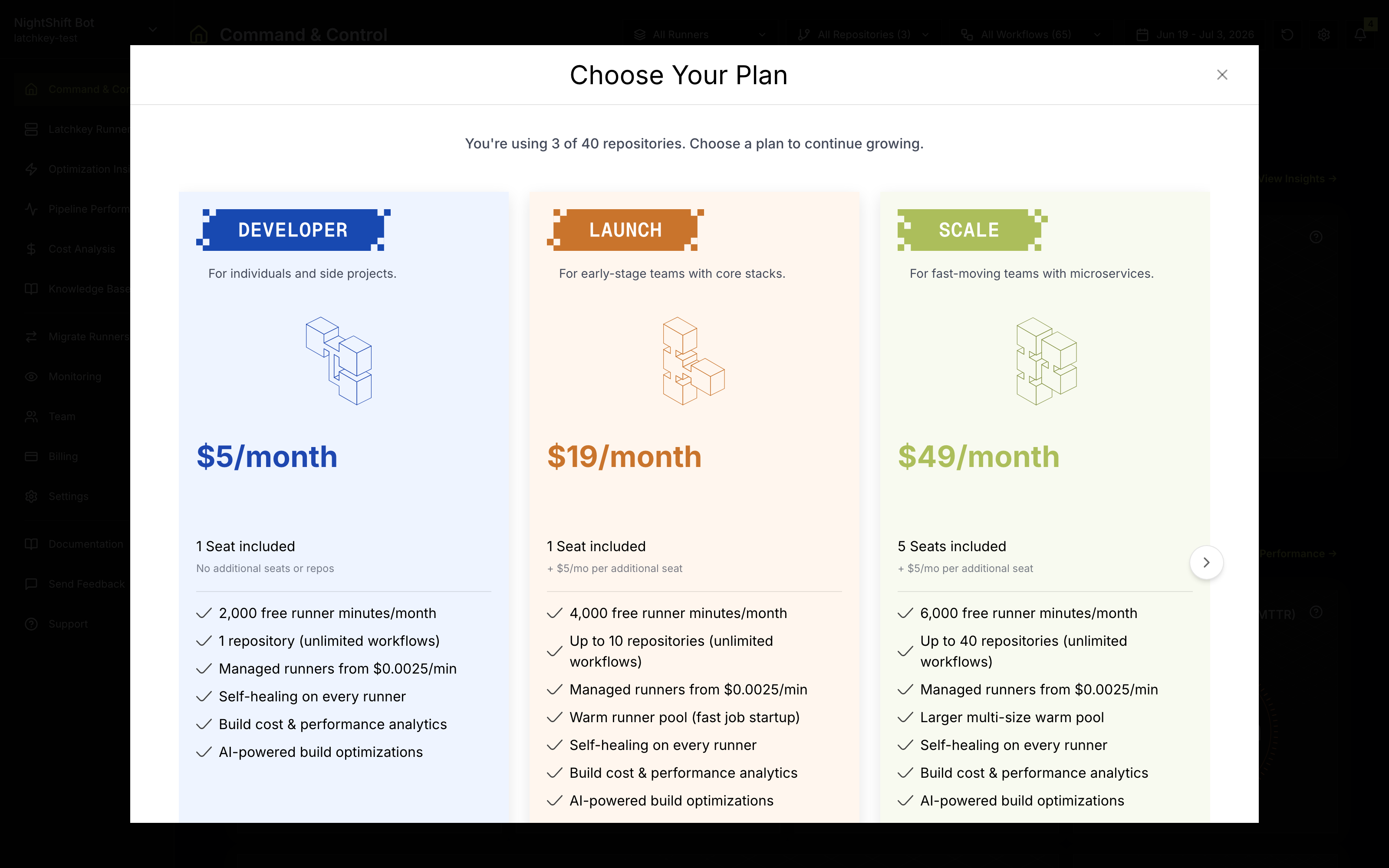
The plans#
| Developer | Launch | Scale | Enterprise | |
|---|---|---|---|---|
| Price | $5/month | $19/month | $49/month | Custom |
| Monitored repositories | 1 | Up to 10 | Up to 40 | Unlimited |
| Free runner minutes/month | 2,000 | 4,000 | 6,000 | Custom |
| Dashboard seats included | 1 | 3 (+$5/seat) | 5 (+$5/seat) | Custom |
| Team invites | No | Yes | Yes | Yes |
| Warm runner pool | No | Yes | Larger, multi-size | Custom + priority capacity |
| Custom runner configs | 2 | 2 | 10 | Unlimited |
Every plan includes managed runners from $0.0025/min (up to 60% cheaper per runner minute than GitHub-hosted), self-healing on every runner with no separate fee, cost and performance analytics, and AI-powered build optimizations. The free minutes also beat GitHub's: 4,000 a month on the mid tier, vs 3,000 on GitHub. Enterprise adds negotiated rates and custom pool sizing; contact sales.
Choosing a plan#
Two numbers decide it for most teams: how many repositories you want monitored, and how many people need dashboard seats. Free minutes usually matter third; the runner cost calculator tells you whether your expected usage clears an allowance. As guidance:
If you sit between two plans, start on the lower one: Change plan upgrades in place from the Billing page, and changing plans later never restarts your trial, so there is no penalty for starting small. One nuance worth knowing before picking Developer: it has no warm runner pool, so every managed-runner job is a fresh cold start rather than a warm pickup.
How the trial works#
- Every workspace starts with a 30-day free trial the moment it is created; new workspaces begin on the Launch plan, and Change plan on the Billing page moves you to any other tier.
- No plan requires a credit card to start. There is no checkout at signup; the trial is already running when you first land on the dashboard.
- The trial is once per workspace: subscribing or changing plans later does not restart it, and Stripe checkout applies a trial only to a workspace that has never had one.
The trial timeline#
What happens when the trial ends#
If you have not subscribed by the end of day 30:
- The dashboard is replaced by a "Your free trial has ended" screen prompting you to subscribe, including a step to choose which repositories to keep; the data itself is preserved.
- API access for the workspace is blocked with the same message.
- Managed runner launches are blocked. Jobs targeting
latchkey-*labels stay queued on GitHub rather than erroring; a "Managed runner blocked" notification is sent, at most once a day. - Subscribing on the activation screen restores everything immediately; your history is intact.
The detail that surprises people: blocked runner jobs do not error. A job targeting a latchkey-* label after the trial lapses just sits in queued on GitHub, which looks identical to every other routing problem; the "Managed runner blocked" notification is the explicit tell, and Troubleshooting walks the same symptom. Note that a card-less trial can hit a similar wall before day 30 if the included runner minutes run out first; see Runner usage and free minutes.
What do the Latchkey plans cost?
Developer is $5, Launch $19 and Scale $49 per month, with Enterprise priced individually. They cover 1, 10, 40 and unlimited repositories respectively, and include 2,000, 4,000 and 6,000 free runner minutes a month.
Does the free trial need a credit card?
No, on any plan. Every plan has a 30-day trial with no card required, and there is one trial per workspace, so you can evaluate the product properly before a payment method is involved.
What happens when the trial ends?
The dashboard, the API and new runner launches pause until you subscribe. Your data is preserved rather than deleted, so subscribing later restores access to the history you already collected instead of starting you over.