


Documentation menu
Getting started
Dashboard & analytics
- Dashboard at a glance
- Cost analysis
- Pipeline performance
- Optimization insights
- Knowledge Base
- Connect your AI agent
Managed runners
- Runners overview
- Run your first job
- Migrate from GitHub-hosted
- Latchkey CLI
- The Runners page
- Custom runners (AI Scan)
- Self-healing
- Runner image & software
- Provisioning & warm pools
- Limits & concurrency
Caching
Team & notifications
Billing & plans
Help
Managed runners overview
What Latchkey runners are, the four sizes and their prices, what makes them different from GitHub-hosted runners, and what you need before your first job.
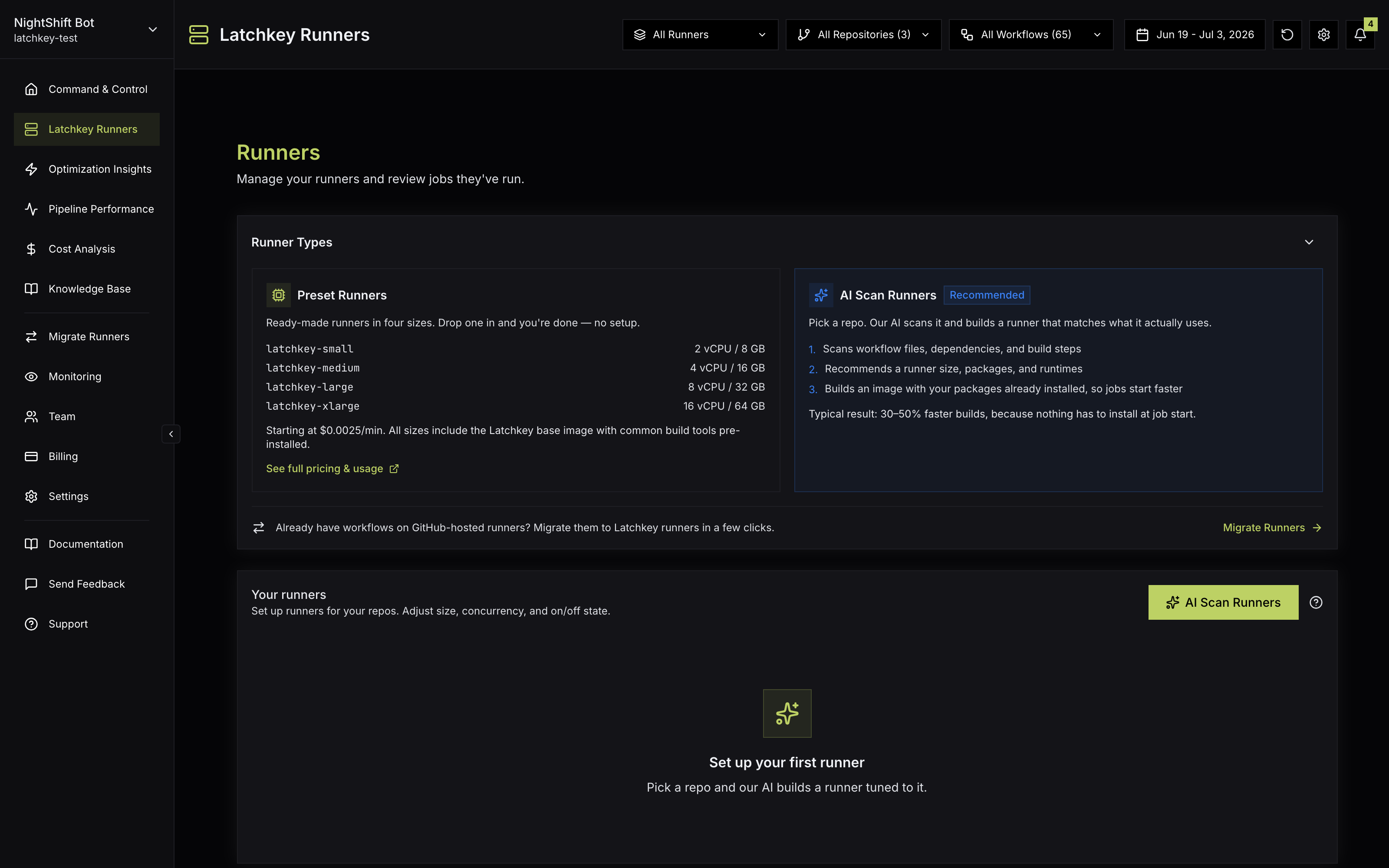
Latchkey managed runners are ephemeral virtual machines that run your GitHub Actions jobs. Each runner executes exactly one job and is destroyed afterward, so every job starts from a clean, isolated machine. Every runner also ships with self-healing built in.
Sizes and pricing#
| Label | vCPU | Memory | Disk | Price |
|---|---|---|---|---|
latchkey-small | 2 | 8 GB | 100 GB | $0.0025/min |
latchkey-medium | 4 | 16 GB | 100 GB | $0.0050/min |
latchkey-large | 8 | 32 GB | 100 GB | $0.0100/min |
latchkey-xlarge | 16 | 64 GB | 200 GB | $0.0200/min |
All runners are Ubuntu 24.04 LTS on x86_64 (AWS m6a-class hardware) with a comprehensive preinstalled toolchain. Billing is per minute, rounded up per job, and every plan includes free minutes each month (2,000 on Developer, 4,000 on Launch, 6,000 on Scale; that is 4,000 a month on the mid tier, vs 3,000 on GitHub); see Runner usage and free minutes.
Which size should you pick?#
Treat what follows as guidance, not rules: your own job runtimes are the real benchmark. The pattern that serves most teams is to default everything to latchkey-small, then promote the specific jobs that prove they need more.
| Size | A good first fit for | Why |
|---|---|---|
latchkey-small | Lint, unit tests, scripts, small builds | Most CI jobs are I/O-bound or single-core-bound; 2 vCPU / 8 GB covers them at the lowest rate |
latchkey-medium | Typical app test suites, Docker image builds | Twice the CPU and memory of small, for parallel test runners and multi-stage image builds |
latchkey-large | Compile-heavy builds, parallel integration suites | 8 vCPU / 32 GB suits work that scales with cores: large TypeScript, Rust, Java, or C++ builds |
latchkey-xlarge | Monorepo builds, memory-hungry end-to-end suites | 16 vCPU / 64 GB plus the 200 GB disk, for the heaviest jobs that would otherwise need splitting |
Two properties of the lineup make right-sizing easy to reason about. Each step up doubles vCPU, memory, and the per-minute rate, so moving a job up a size pays off when it at least halves that job's duration: same cost or less, and faster feedback. And runs-on is chosen per job, not per workflow, so one heavy build job on latchkey-large never forces your lint job off latchkey-small.
Why teams switch#
- Price: up to 60% cheaper per runner minute than GitHub-hosted, with more free minutes than GitHub includes (4,000 vs 3,000 on the mid tier).
- Speed: a warm runner that is already online picks up a job in about two seconds on Launch and Scale.
- Self-healing: transient failures (registry timeouts, OOM kills, full disks, missing tools) are detected and fixed during the run.
- Isolation: one job per runner, on a private network with no inbound access, destroyed after the job.
- Zero infrastructure to manage: no runner images to build, no autoscaling to tune, no runner agents to patch.
Ephemeral by design#
Every runner is created for one job and destroyed the moment that job finishes. Nothing persists between jobs: no leftover processes, no stale caches, no files a previous job wrote to disk. That clean-machine guarantee is what makes runs reproducible; if a job passes today and fails tomorrow, the difference is in your change or a dependency, not in state that accumulated on a long-lived machine.
The same property carries the security story. A runner registers just-in-time with single-use credentials, runs on a private network with no inbound access, takes exactly one job, and is destroyed: there is no window for one job to observe another, and no long-lived machine to patch and harden. See Security and permissions for the full picture.
Plan around it, too: anything written to the runner's local disk is gone when the job ends. Persist build outputs as artifacts and speed up installs with caches, exactly as you would on GitHub-hosted runners.
Prerequisites#
- The Latchkey GitHub App is installed on your organization.
- The repository is monitored in Latchkey.
- Managed runners are enabled for your workspace (they are set up automatically when the app is installed; the Runners page in the dashboard shows your readiness and configurations).
- Your subscription or trial is active. Runner launches are blocked for expired trials and lapsed subscriptions; see Runner usage and free minutes.
How provisioning works#
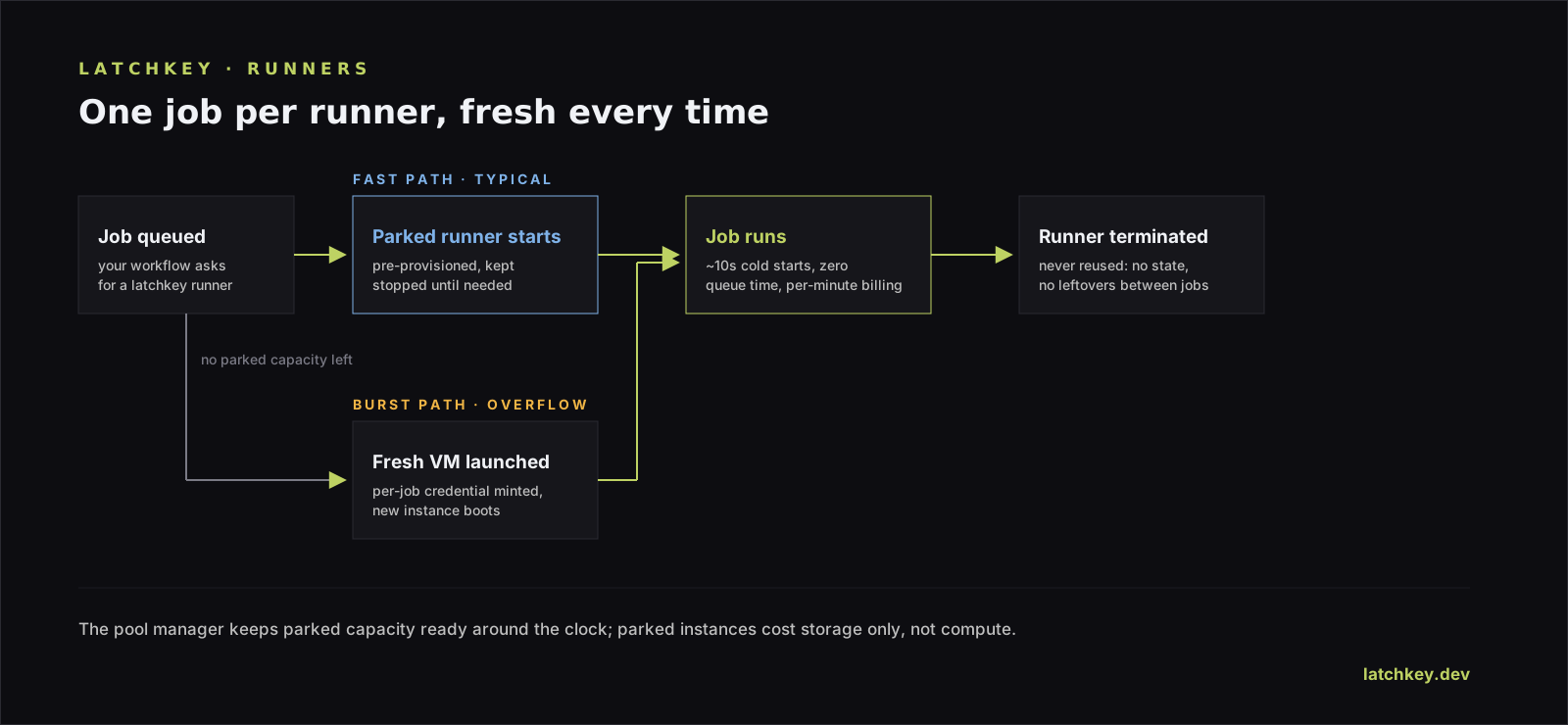
When GitHub queues a job with a latchkey-* label, Latchkey either hands it to an already-warm runner or launches a fresh one:
Warm runner already online
- Pickup in about two seconds when the runner is already online
- Launch and Scale include warm pool capacity
- Scale has a larger, multi-size pool
Fresh runner (cold start)
- A new machine boots just for your job
- Registers just-in-time with single-use credentials
- Running once the fresh machine has registered
- Any job past the warm baseline, or asking for a larger size, takes this path
Either way the runner is destroyed after your job. The full lifecycle, warm pools, concurrency, and why a job might wait, is in How provisioning works. Beyond the four presets you can create custom runner configurations with their own labels, and the Runners page in the dashboard is where you manage all of it.
A migration strategy that works#
You do not need a big-bang migration, and we suggest avoiding one. GitHub-hosted labels keep working side by side with latchkey-* labels, so you can move one job at a time and compare the two directly on your own workloads.
A flaky or slow workflow makes the best pilot because cheaper minutes, faster pickup, and self-healing all show up where the pain already is. After a week, the Runners page gives you cost, savings, and heal activity to judge with; when you are convinced, the Migrate Runners tool on the Runners page (owners and admins) opens ready-to-merge pull requests that switch up to 20 repositories at once; the full walkthrough is Migrate from GitHub-hosted runners. Jobs that need GPU, Windows, macOS, or arm64 hosts stay on GitHub-hosted or other runners, and mixing within a single workflow is fine.
Deciding between providers? The Learn library has an independent runner comparison hub covering GitHub-hosted, Blacksmith, BuildJet, and more, plus a GitHub Actions cost calculator to estimate spend on your own numbers before you switch anything.
What sizes do Latchkey runners come in?
Four, all Ubuntu 24.04 x64: latchkey-small at 2 vCPU and $0.0025 per minute, through latchkey-xlarge at 16 vCPU and $0.0200 per minute. Every plan includes 2,000 to 6,000 free runner minutes a month depending on the plan.
How fast does a Latchkey runner start?
A warm runner that is already online picks a job up in about two seconds, on Launch plans and above. A cold start takes longer, because a fresh machine has to boot and register first. Either way the runner is a fresh machine: one job per runner, destroyed afterward.
How do Latchkey runners differ from GitHub-hosted runners?
Two ways that matter. The published rate is $0.0025 per minute for 2 vCPU against $0.006 for the GitHub-hosted equivalent, and a self-healing agent on the machine repairs transient failures such as registry timeouts and OOM kills during the run rather than failing the job.