
April Update: The Runners Beta Opens

Kaveh Alemi
CTO, Latchkey
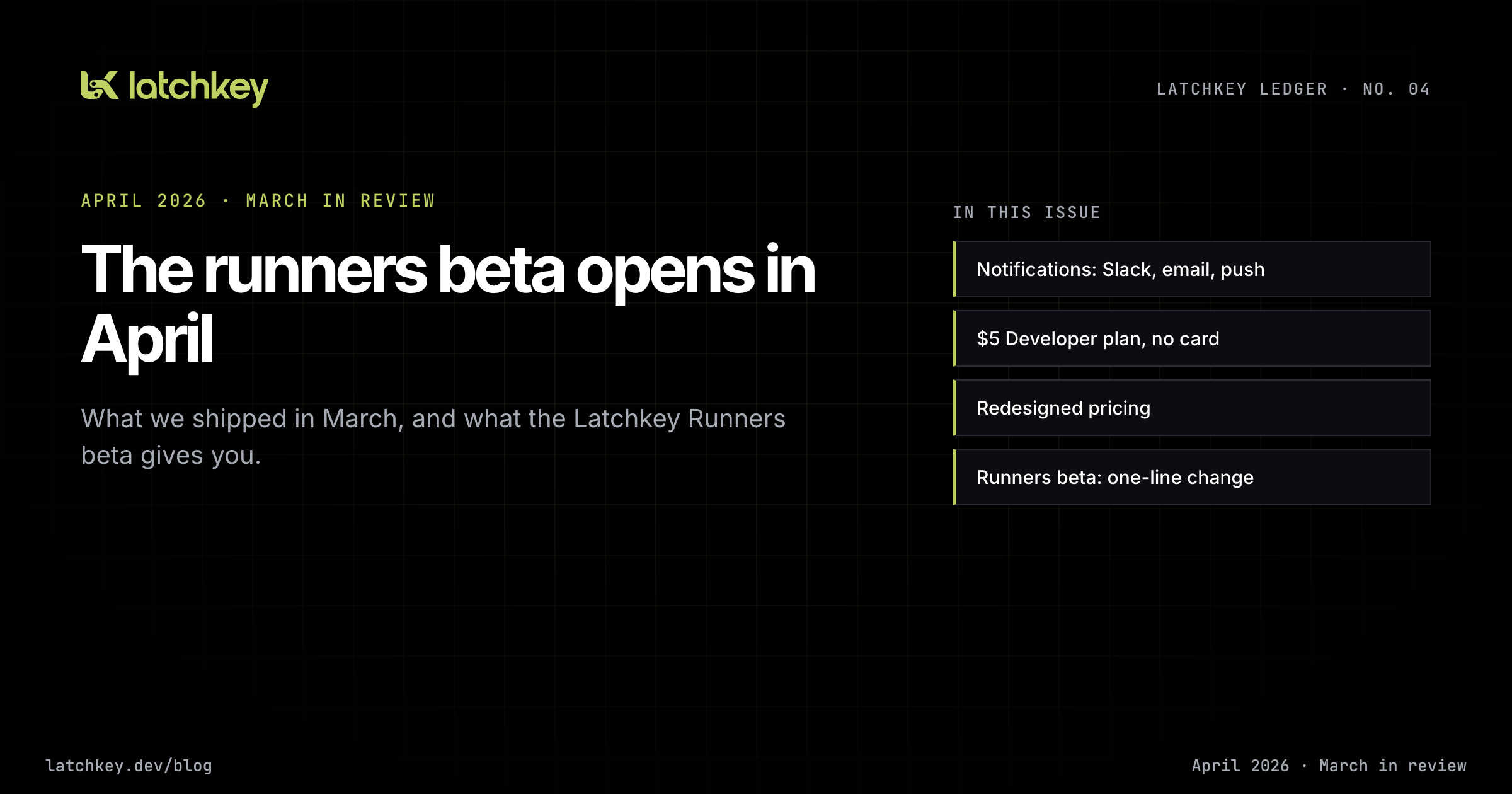
This update covers what shipped in March, what opens this month, and where the platform is heading. March gave Latchkey a voice: notifications on Slack, email and browser push, set per person, plus a $5 Developer plan you can start without a card. April is the month Latchkey starts running your jobs, with the runners beta our CEO, Daniel, and I spent most of March building.
Coming next
The runners beta. Latchkey Runners open in beta this month, and we will enable workspaces in small groups so we can watch each one closely, starting with repositories that fit the beta sizes. The section below walks through what you get and the one-line change that moves a job over.
Around the beta, a few more pieces are in motion:
- More sizes. Larger runners follow once the beta sizes have run real workloads.
- A base image closer to GitHub's. We want the tools your workflows already assume to be there, so fewer jobs need a setup step before they run.
- Published pricing. Per-minute rates by size and the minutes each plan includes, stated before anyone is billed for a runner.
- Knowledge. A place to upload your team's docs and runbooks, so recommendations can point to your own documentation instead of generic advice.
- The first pieces of self-healing. When a step fails because of the environment, such as a network blip, a missing tool or a package registry having a bad minute, the runner repairs the environment and retries. It never edits your code, and a failure caused by your code stays red with a diagnosis attached.
I will report what the beta actually does, including what it gets wrong, in the next issue. If you want a runner this month, reply to our newsletter or reach us through the Support page, and tell us which repository you would try first.
Platform core: the runners beta, from your workflow file
The beta, from your side of the workflow file.
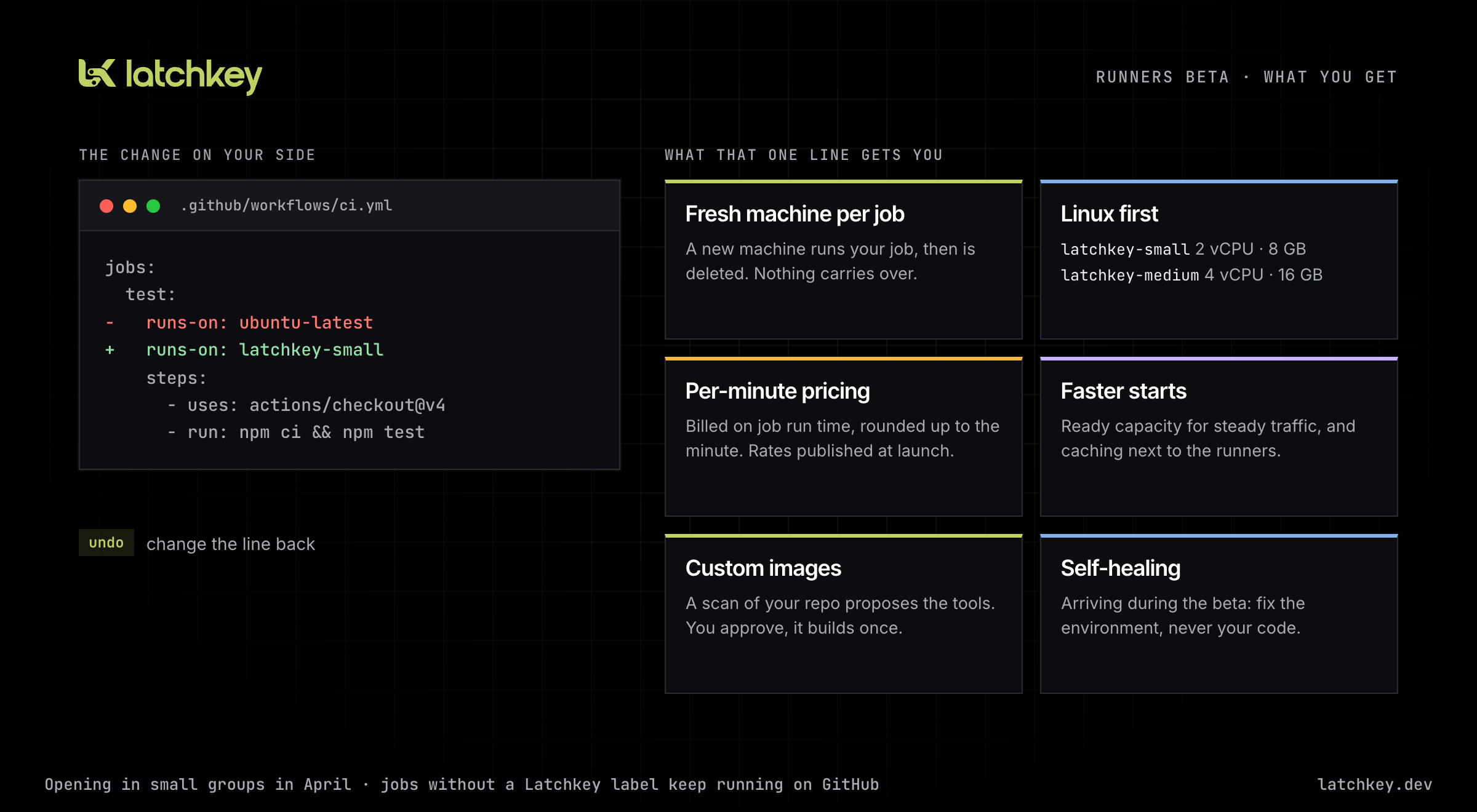
A one-line change. You keep your workflows, your actions and your GitHub App install. To move a job to Latchkey, you change its runs-on line:
jobs:
  test:
    runs-on: ubuntu-latest
    runs-on: latchkey-small
    steps:
      - uses: actions/checkout@v4
      - run: npm ci && npm test
Jobs without a Latchkey label keep running on GitHub as before, so you can move one job, watch it, and move the next. If anything looks wrong, change the line back.
A fresh machine for every job. Each job gets a new machine that runs that one job and is then deleted. Nothing from your job carries over into the next one, yours or anyone else's, and no job inherits leftovers from a previous run.
Linux first. The beta runs Linux on x86 in two sizes: latchkey-small (2 vCPU, 8 GB RAM) and latchkey-medium (4 vCPU, 16 GB RAM). macOS, Windows, Arm and GPU runners are not part of the beta.
The base image is Ubuntu 22.04 with Docker, Buildx and Compose, Node 20, Python 3.12, Go and the AWS CLI. It is leaner than GitHub's hosted Ubuntu image, so a workflow that assumes a tool is already installed may need a setup step. Bringing the base image closer to what GitHub preinstalls is one of the main things we are working on during the beta.
Per-minute pricing. You will pay by the minute, by size. The billed time is your job's run time as GitHub reports it, rounded up to the minute. The time a machine spends booting is our cost, not yours. We will publish the rates and the included minutes for each plan at launch.
Faster starts. Two things shorten the wait. For workspaces with steady traffic, we keep ready capacity waiting, so a queued job can start on a machine that has already booted. And caching lives next to the runners, so actions/cache and Docker layer caching work across fresh machines without changes to your steps.
Custom images tailored to your repository. Some projects need more than the base image: an Android SDK, a specific JDK, Terraform and kubectl, a browser for end-to-end tests. Installing those in every job wastes minutes. From the runners dashboard, you pick a repository and start a scan. It reads your languages, frameworks, build tools and CI files and proposes a runner configuration with the tools your builds need. Nothing is built until you approve or adjust it. The result is your own runner with its own label, such as latchkey-android, that your jobs select the same way they select a preset size.
Platform core: notifications that speak up when CI breaks
Until March, Latchkey only talked to you when you opened the dashboard. That is the wrong shape for a CI product. A broken pipeline matters when it breaks, not when someone next looks.
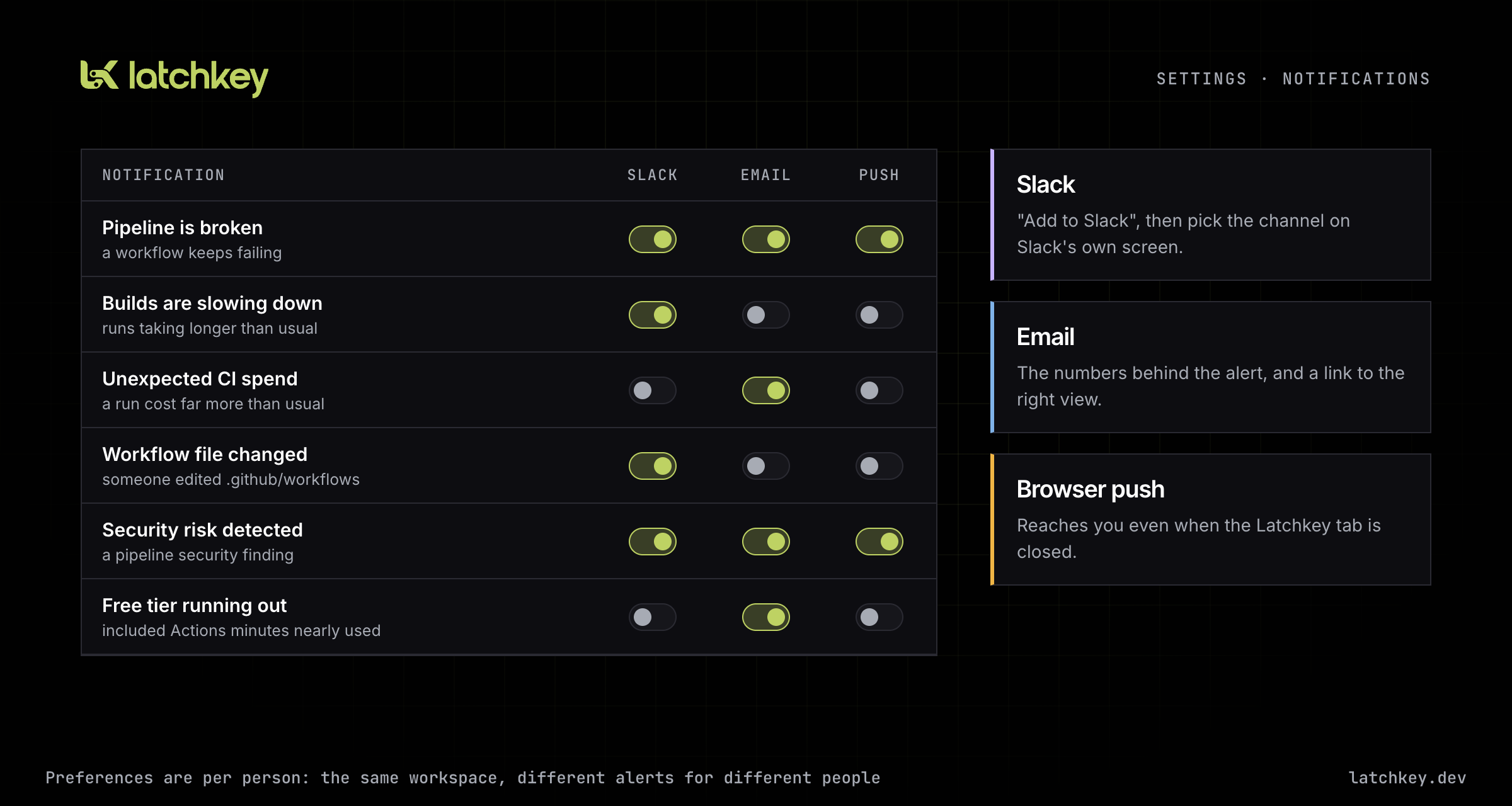
So we built notifications around the questions a team actually asks about its CI. Is a pipeline stuck in a failing loop? Are builds getting slower than they used to be? Did a run cost far more than usual? Did someone change a workflow file? Has a repository gone quiet? Are we about to run out of included GitHub Actions minutes? Some of these fire the moment a GitHub event arrives. Others are checks we run on a schedule against your history, and they stay silent until there is enough data for the answer to mean something. A new workspace will not get a cost projection on its second day of the month.
We also care about not being noisy. A failing pipeline does not send you an alert for every red run. Alerts repeat only at meaningful points, and each type has a quiet period so one bad afternoon does not flood a channel.
Every notification type, every channel, set per person.
Each channel works the way you would expect:
- Slack is a standard "Add to Slack" button. You choose the channel on Slack's own screen, and Latchkey can only post to that channel.
- Email arrives in a rebuilt set of templates with the specific numbers behind the alert, such as the run's cost against your average or the count of consecutive failures.
- Browser push works in any modern browser once you allow it, so an alert can reach you even when the Latchkey tab is closed.
Preferences are per user, not per workspace. The engineer who owns the deploy pipeline can get every failure on Slack, and the person who watches spend can get only the cost alerts by email.
A $5 Developer plan, with no card up front
Our plans were built for teams. That left out a large group we want to serve: one developer with one repository who wants to see what their CI is doing and what it costs.
The Developer plan is $5 a month. It covers one repository with unlimited workflows and one seat, and includes the cost and performance analytics, AI recommendations and pipeline notifications.
Choosing it does not send you to a payment form. We create your workspace with a 30-day trial and take you straight to installing the GitHub App, so the first thing you see is your own pipelines. When the trial ends, you subscribe from an activation page. If you later move a team workspace down to Developer, you first bring it to one monitored repository and one member, so nothing disappears without you choosing it.
Pricing itself got a redesign. The same cards now appear on the landing page, the pricing page and the billing screen, so comparing plans reads the same way in all three places.
Platform vision: from watching CI to running it
Last month's issue made the full argument; here is where it stands on the day the beta opens.
Everything Latchkey did until now happened after the fact. We read your workflow runs, found what was slow, expensive or broken, and told you. We could recommend a fix and open a pull request for it, but we could never act while a job was running, because the job ran on a machine we did not control.
Running the machine changes that. When the runner is ours, we choose what is installed on it, keep a cache close to it, charge only for the minutes your jobs actually run, and can step in when a job fails because of the environment rather than your code. That last one is why this is a runner product and not another dashboard feature.
The bet underneath it has not moved since January. More of the code reaching your pipeline is written by agents, faster than people can babysit red builds, and CI is becoming the gate between machine output and your main branch. A gate that waits for a human every time a runner is missing a tool is the slowest part of that loop. On the trust ladder from issue two, the runner is how we reach the rung we have not built yet: acting inside one running job, on a machine that exists only for that job, under rules we published before writing any of it. Repair the environment, never the code. Real failures stay red. Permanent changes arrive as pull requests you review.
The analytics product stays, and keeps working on any runner. Runners give its diagnoses somewhere to act.
Previous issue: March Update: Latchkey Runners and Self-Healing Are Coming · Next issue: May Update: Latchkey Runners Are Live